Product spotlight
Per-folder access control
By the CogniSuite team
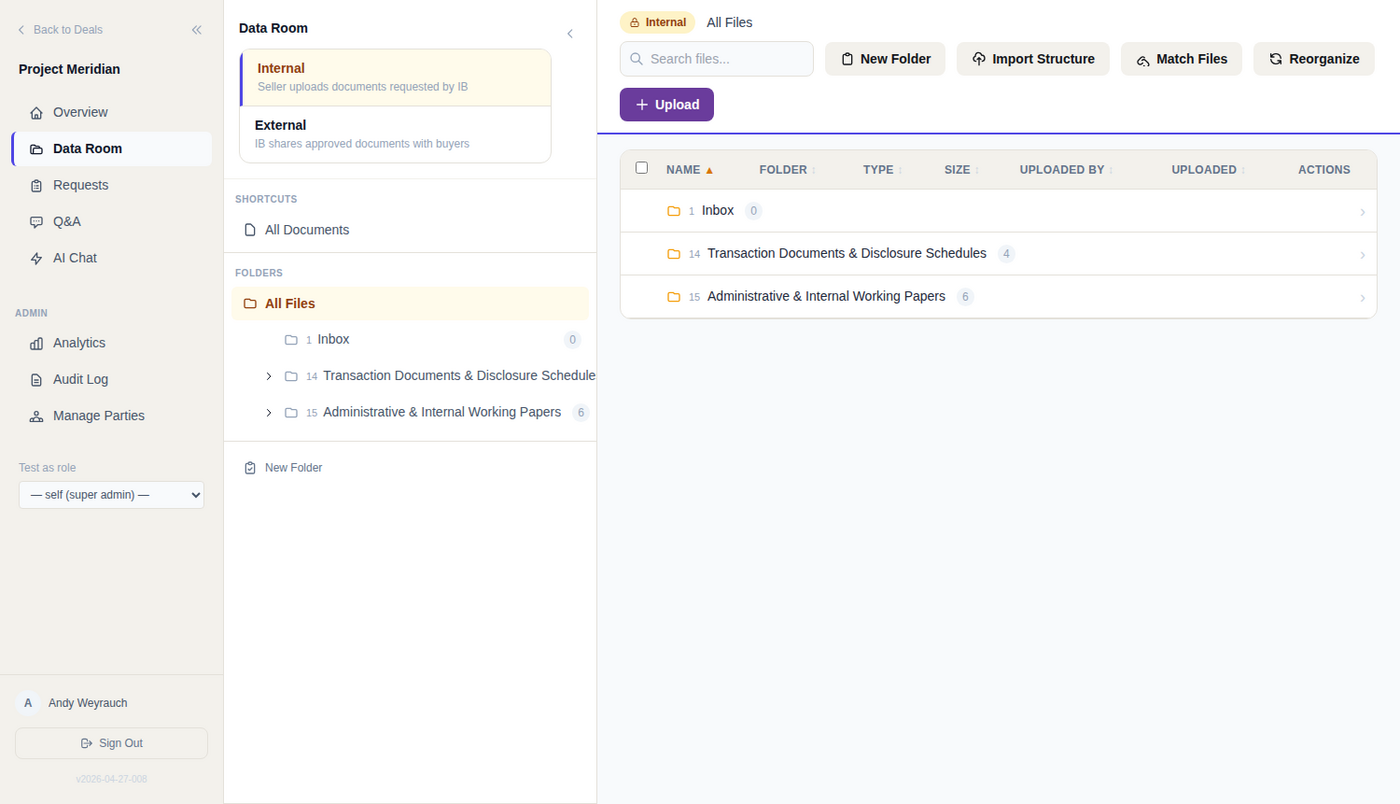
Now live in CogniVault: per-folder visibility and access grades that let one room serve the bidder, your deal team and a clean team at once. No second data room, and no email side channel because the room could not express the rule.
What you get
- Four visibility labels. Internal, external, all buyers, or one named organisation. A clean-team folder holds its scope even under an internal parent.
- Four access grades, plus upload. Full, watermark, view-only or none, resolved per user, then per organisation, then up the folder tree, then the room default. The first answer wins.
- See the room as they see it. Set your session to view as a bidder organisation and the server resolves the tree exactly as it will for them, before the invitations go out.
- Watermarks burned in at serve time. Viewer name, organisation, timestamp and confidentiality marking on PDF, Office and image formats. The stored original stays clean.
The difference
The AI gets no side door: chat, search and drafting run the same folder-read check before a document can become a source, and a counterparty-facing draft quotes only what every recipient may read. A folder someone cannot open never even appears in their tree, so the structure itself cannot leak.
Technical view How it works in detail, and where it stops
One room, every audience
Per-folder access control lets one CogniVault data room serve the bidder, your deal team and a clean team at once. Every folder carries a visibility label and an access grade, so the diligence tree opens to the other side while the internal room stays shut.
- No second room, and no email side channel because the room could not express the rule.
- No folder-name leak. A folder a party cannot read never appears in its tree listing. The listing and the file gate resolve access the same way.
- No AI end run. Chat, search and drafting apply the same folder-read check before a document becomes a source.
- No cross-deal reach. Each deal is a separate database on its own subdomain.
The four visibility labels
Visibility decides who can see a folder exists. The grade decides what they can do with it.
- External, for shared diligence.
- All buyers, where every bidder in the room reads the same folder.
- Internal, for working material, visible to the deal team and the client they represent.
- Specific, scoped to one named organization and readable only by the org it names rather than by every party on that side. It holds that scope even under an internal parent, which is what makes clean team folders work.
Labels are inherited and fail closed: a folder without a label takes the nearest one above it, and anything unresolved is treated as internal. Trees generated at deal setup are written the same way.
How a grade resolves
Four grades, plus a separate upload bit: full, watermark, view, none. The first answer wins:
1. A grant for one user in one organization.
2. A grant for that whole organization on that folder.
3. The same two questions at the parent folder, and up the tree from there.
4. The room-wide default.
Deal side is baked in. The room knows whether the mandate is buy-side or sell-side, so on a buy-side deal it is the seller who is external. Anyone outside the deal team and the internal client is the counterparty, and their default grade on an internal folder is none.
One grade on a top-level folder covers most of a room. Check it before invitations go out: set your session to view the room as a bidder org, and the resolver runs against that org on the server.
What view-only and watermarking prevent
View is the strong grade, enforced separately from read access: a folder set to view opens in the viewer and its bytes never leave.
- Single-file download blocked.
- Native-format stream blocked, the one the viewer uses for spreadsheets and Word files.
- Skipped inside a bulk zip, resolved per file.
Files are stored as clean originals. The watermark is applied at the moment of serving, carrying the viewer's name, org, a UTC timestamp and a confidentiality marking. A folder setting beats the org-wide setting both ways: an explicit full grant yields a clean copy, an explicit watermark grant forces a marked one.
Why an AI answer cannot widen access
Retrieval applies the same folder-read check the file gate uses before a document becomes a candidate, so the top results are counted from readable documents only. Nothing is stripped from the output afterwards, because a document you cannot open was never a candidate.
Counterparty-facing drafts go further. A document is eligible for a draft the other side will see only if every counterparty org that can see that request list may read it. That check runs at the org baseline, so a per-user override cannot widen it, and it denies rather than falling back to the deal team's own access.
Where it stops
- Defaults are permissive. A room with no folder grants allows reading and clean download. The restrictions are yours to write.
- Your own team is not compartmented. Deal team roles resolve to full access without consulting folder grants.
- The internal room is a default, not a wall. An explicit grant still opens a named internal folder to a counterparty, so it is only as closed as your grant list.
- Watermarks are visible deterrents, not forensic marking. Serve-time marking covers PDF, Word, common image formats, Excel and PowerPoint, and a file type that cannot be marked is refused on download and left out of a bulk ZIP rather than served clean. There is no invisible per-recipient tagging, and the Office marks sit in the file's own XML, where a determined recipient can strip them.
- Retrieval admits view and watermark folders, so an AI answer can quote text from a document that user may only view watermarked. Counterparty grounding is an intersection, so a widely shared list can ground a draft in nothing.
Wider security posture: /security. Data room capabilities: /features.
See it on your own deal.
General information, not legal, tax or financial advice. For how CogniVault handles security and access, see Security.